


Views: 0 Author: Site Editor Publish Time: 2026-03-10 Origin: Site


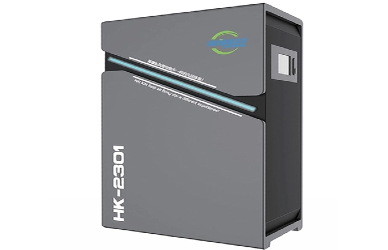
When people consider an Indoor Environmental Protection System, one of the most common worries is: Will it dry out the air? The concern is understandable. Many users associate “air cleaning” with strong airflow, constant ventilation, or HVAC changes that can affect comfort. In reality, an Indoor Environmental Protection System is not supposed to create humidity problems. However, humidity outcomes can change depending on how the system is designed, how it interacts with ventilation and HVAC, and how the control strategy is configured for your climate and season.
The good news is that humidity issues are usually predictable and manageable. Once you understand what truly changes indoor moisture—and what does not—you can tune an Indoor Environmental Protection System to maintain comfortable, healthy humidity rather than pushing the air too dry or too damp.
Ventilation is one of the biggest drivers of indoor humidity because it replaces indoor air with outdoor air. If you bring in outside air during a dry winter, indoor relative humidity (RH) can drop. If you bring in outside air during a humid summer, indoor RH can rise. This is why two households using the same Indoor Environmental Protection System can experience opposite outcomes—climate and season matter.
An Indoor Environmental Protection System that increases fresh-air exchange based on CO₂ or VOC readings may unintentionally shift humidity if the outdoor air is much drier or wetter than indoor air. The effect is not “bad” by default; it’s simply physics. The key is whether the system monitors humidity and moderates ventilation to keep RH in a target range.
HVAC operation strongly affects humidity perception and actual moisture levels. Air conditioning often dehumidifies as it cools, while heating in winter can make indoor air feel drier because warm air lowers relative humidity even if absolute moisture is unchanged. If your Indoor Environmental Protection System coordinates with HVAC—boosting airflow, increasing run time, or changing ventilation—humidity can shift as a side effect.
For example, if an IEPS triggers more cooling to manage comfort while also increasing circulation, the AC may remove more moisture than expected. In winter, if the system increases ventilation to control CO₂, the incoming cold, dry air combined with heating can push RH down further. Good system design accounts for these interactions rather than treating ventilation and comfort as separate.
A key point: filtration does not remove water vapor. A fan moving air through a filter captures particles, not humidity. Unless the Indoor Environmental Protection System includes a dedicated dehumidifier, humidifier, or an HVAC interaction that changes moisture, the filter section alone won’t “dry out” the air.
This is why many people are surprised: they run a purifier and feel “dryness,” but the purifier itself didn’t remove moisture. The sensation usually comes from airflow, temperature changes, or underlying seasonal dryness.
Even when relative humidity stays the same, stronger airflow can increase evaporation from skin and mucous membranes, making the air feel drier. Drafts across a bed, desk, or sofa can cause dry throat or irritated eyes, especially during winter when RH is already low.
An Indoor Environmental Protection System can avoid this by using staged fan control, better air distribution, and sleep/quiet profiles that reduce direct drafts. Comfort isn’t only about the humidity number—it’s also about airflow direction, speed, and temperature stability.
Over-ventilation is a common cause of “too dry” outcomes. If an Indoor Environmental Protection System aggressively brings in outdoor air to reduce CO₂ or VOCs, indoor RH can fall—especially in cold weather when outdoor air carries little absolute moisture. Once heated indoors, that air becomes even drier in relative terms.
Low RH can increase static electricity, dry skin, irritated sinuses, and disrupted sleep. The fix is rarely to stop using the IEPS; it’s to adjust ventilation strategy, add humidification if needed, and use humidity-based control limits.
On the other side, in humid climates, the risk is indoor air becoming too damp. If an Indoor Environmental Protection System focuses heavily on filtration but does not manage ventilation and moisture, humidity can build up from showers, cooking, and breathing—especially in tight homes with limited exhaust.
High RH increases condensation risk on windows and cold surfaces, and it can create a musty smell or support mold growth in hidden spaces. In these cases, the IEPS should either coordinate with dehumidification or adjust airflow and ventilation intelligently rather than simply recirculating air.
A well-designed Indoor Environmental Protection System includes humidity monitoring and allows target ranges. Instead of acting only on CO₂ or PM triggers, it treats humidity as a first-class variable. The system should use setpoints and hysteresis (a buffer) so it doesn’t rapidly toggle between modes, which can create uncomfortable swings.
The practical benefit is stability. You don’t want RH drifting from 55% to 35% overnight because ventilation ran too hard, or climbing to 70% because the system avoided fresh air entirely. Humidity-aware logic keeps the indoor environment predictable.
Humidity control works best when the system coordinates multiple tools: ventilation timing, HVAC interaction, and optional humidification or dehumidification modules. For example, an Indoor Environmental Protection System can increase ventilation when outdoor conditions are favorable, then rely more on filtration when outdoor humidity is extreme. It can also prioritize different goals by profile—sleep mode may favor quiet and stable RH, while “high occupancy” mode may prioritize CO₂ control with RH safeguards.
This is how an IEPS avoids the most common mistake: solving one metric (like CO₂) while creating another problem (like overly dry air).
Symptom/Observation | Likely Cause in an IEPS Setup | What to Adjust First | Helpful Add-ons |
Dry throat, static, RH drops in winter | Over-ventilation + heating lowers RH | Reduce ventilation intensity, add RH limits, use night profile | Humidifier, better zoning |
Air feels drafty but RH looks normal | Airflow direction/speed, temperature swings | Redirect vents, lower fan stages, use staged ramping | Diffusers, balancing airflow |
Condensation on windows, musty odor | High RH from moisture sources + insufficient dehumidification | Increase exhaust/ventilation smartly, set RH target | Dehumidifier, bathroom fans |
RH swings widely day to night | No hysteresis or conflicting controls | Add hysteresis, stabilize schedules, coordinate HVAC | Smart controller tuning |
High RH in summer despite filtration | Humid outdoor air + poor moisture removal | Coordinate with AC/dehumidify, limit outdoor intake | Dehumidification module |
Start by ensuring humidity sensors represent the room, not a vent stream. Avoid placing sensors directly in front of supply vents, near bathrooms, or next to kitchens unless that’s the intentional monitoring point. Next, set schedules: use quieter, less drafty settings at night while still keeping RH and CO₂ within safe ranges. If your Indoor Environmental Protection System is multi-zone, prioritize bedrooms for stable overnight humidity and use more aggressive ventilation in high-activity areas during the day.
Finally, align your strategy to the season. Winter often needs RH protection and reduced over-ventilation; summer often needs dehumidification support and careful outdoor air timing.
Treat symptoms as signals. Static and dry throat often point to low RH or excessive drafts. Condensation suggests RH is too high or surfaces are too cold, which can also indicate insulation or ventilation design issues. Musty odors are frequently linked to dampness and insufficient moisture removal. If these signs appear after enabling certain IEPS modes, compare data logs before and after changes. An Indoor Environmental Protection System with dashboards makes it easier to connect symptoms to measurable shifts and adjust the settings accordingly.
Using an Indoor Environmental Protection System should not automatically dry out the air. Filtration alone does not remove moisture, and most humidity problems come from ventilation strategy, HVAC interactions, and control settings that don’t match the climate or season. The best systems prevent issues by monitoring humidity, using setpoints and hysteresis, and coordinating ventilation with dehumidification or humidification where needed.
If you choose a humidity-aware Indoor Environmental Protection System and tune it properly, you can improve air quality and comfort at the same time—without trading “clean air” for dry throats or condensation problems.
Many households find a mid-range RH comfortable, but the “best” range can shift with temperature, climate, and building conditions. In winter, slightly lower RH may be normal, while in humid seasons, keeping RH from rising too high helps prevent condensation and musty conditions.
Start by adjusting ventilation intensity and adding RH-based limits so the Indoor Environmental Protection System doesn’t over-ventilate during cold, dry periods. If RH remains uncomfortably low, humidification may help—especially in bedrooms—provided you avoid over-humidifying and creating condensation risk.
An IEPS can help if it monitors humidity and coordinates ventilation and moisture removal, but severe condensation can also involve insulation, thermal bridges, and building envelope issues. In some cases, adding dehumidification or improving exhaust ventilation is necessary for consistent control.
Check whether humidity changes correlate with specific IEPS modes or schedules. If RH rises even when the system is actively ventilating and dehumidifying, suspect building moisture sources like leaks or poor drainage. If RH drops sharply when ventilation increases, it’s likely a settings or strategy issue. Using logs from the Indoor Environmental Protection System makes this diagnosis much easier.


